Game Project Planning Day
From Blade Racer to Your Vision
CSCI 3213 - Game Programming
Spring 2026 — Lecture 8
No code today. Just ideas, patterns, and your imagination.
📋 Today is Different
Put the IDE Away
No Unity. No C#. No compiler errors.
Today we slow down, catch our breath, and start thinking about the most important question in game design:
"What game do I want to make?"
🛑 Why We're Pausing
Seven patterns in seven lectures. Let's make sure they're connecting before adding more.
Reviewing patterns through the lens of your own game is the most effective way to internalize them.
Good architecture takes time. The earlier you start planning, the better your game will be.
In Blade Racer we introduced them one at a time. In your game they'll all coexist and interact.
📝 Midterm Preview
📅 Midterm: Tuesday, March 10, 2026
Covers all 13 design patterns and their implementation in Blade Racer.
What to Study
- Each pattern's intent — what problem does it solve?
- How Blade Racer used it — specific classes and systems
- The key participants — e.g. Subject/Observer, Visitor/Visitable
- The trade-offs — when NOT to use a pattern
🎮 The Project Assignment
The Only Requirement
Create a Unity game that uses all but 2 of the 13 design patterns we implemented in Blade Racer.
It doesn't have to use them the same way we did.
✅ Fair Game
- Any genre or theme
- Creative pattern usage
- Adapted to your game's needs
⚠️ The Expectation
- Must use 11 of the 13 patterns
- Usage must be intentional
- You'll explain your choices
🗺️ The 13 Patterns of Blade Racer
| Pattern | Type | Blade Racer Usage |
|---|---|---|
| Singleton | Creational | GameManager — global persistence across scenes |
| State | Behavioral | BikeController states (Stop / Start / Turn / Crash) |
| Event Bus | Service | RaceEventBus — decoupled game-wide events |
| Object Pool | Creational | Drone spawning and recycling |
| Command | Behavioral | Bike input recording and replay |
| Observer | Behavioral | BikeController → HUD, Camera, Audio |
| Visitor | Behavioral | Power-up system visiting bike components |
| Strategy | Behavioral | Enemy drone AI attack behaviors |
| Decorator | Structural | Weapon upgrades (Injector, Stabilizer, Cooler) |
| Spatial Partition | Structural | Level editor grid, collision optimization |
| Adapter | Structural | Third-party inventory integration |
| Facade | Structural | Simplified bike engine interface |
| Service Locator | Service | Unity services (Analytics, Audio, Logging) |
⚔️ The Challenge
13 patterns learned in Blade Racer
↓
Your game must use at least 11 of them
↓
You choose which 2 to skip — and you'll justify that choice
🃏 Professor's Example
Cards in the Apocalypse
An action card game where you play Go Fish while dodging debris from a nearby planet's destruction.
🚀 Space Layer
Navigate your ship through a debris field. Collect supplies. Encounter and intercept enemy ships.
🃏 Card Layer
Dock with enemies for a high-stakes card duel. Play Go Fish to earn resources and survive.
🎨 Design Sketches
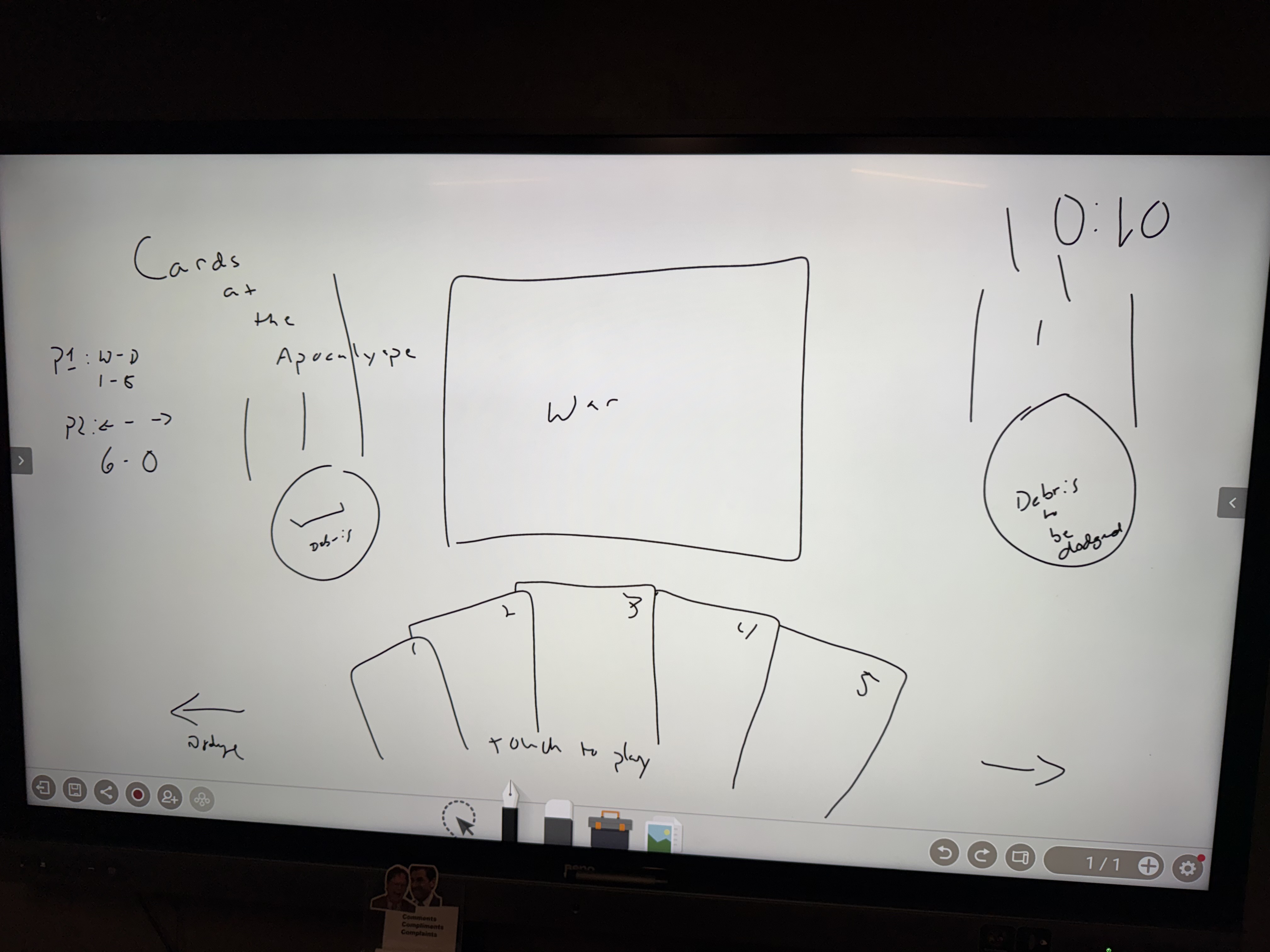
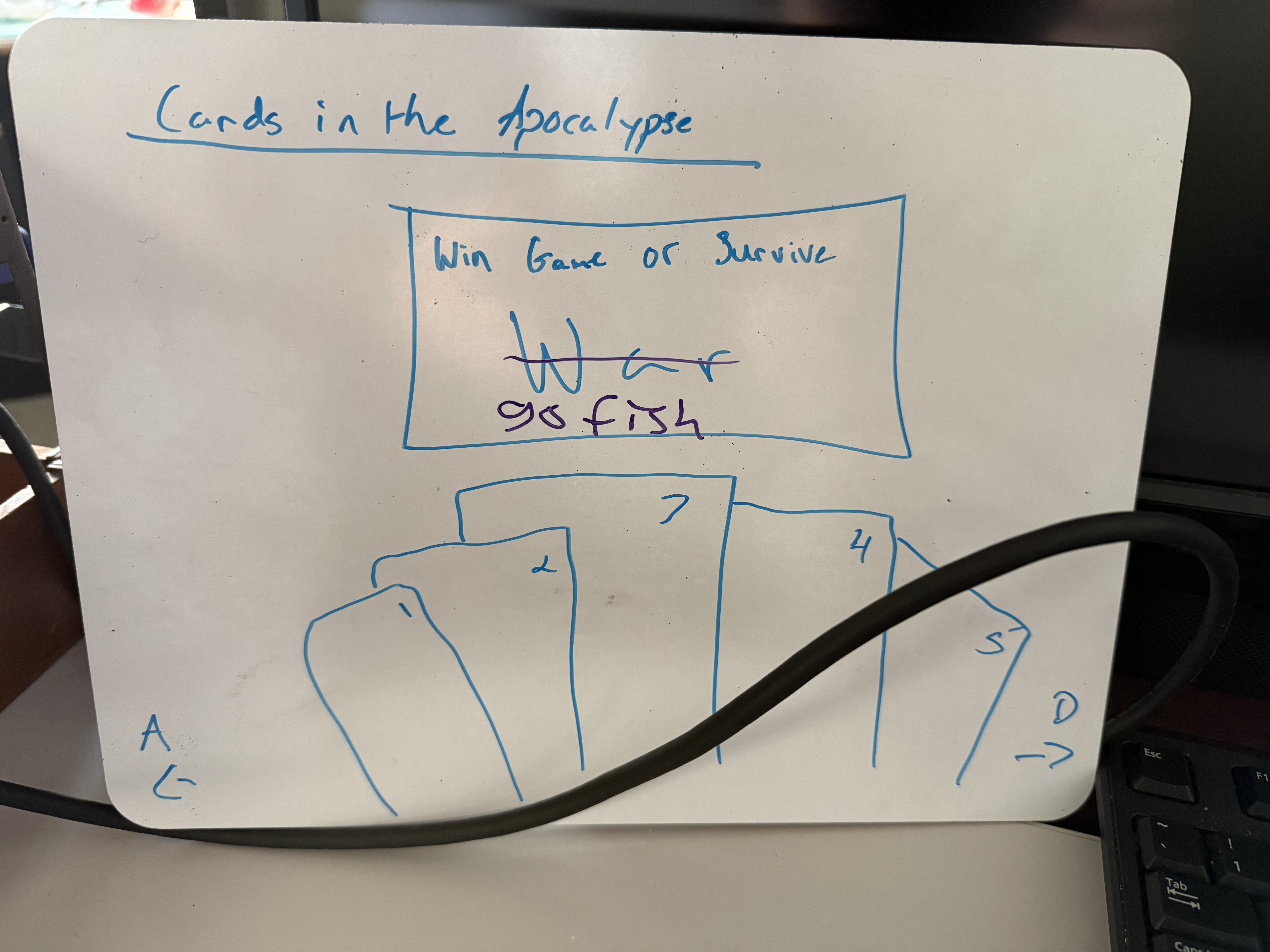
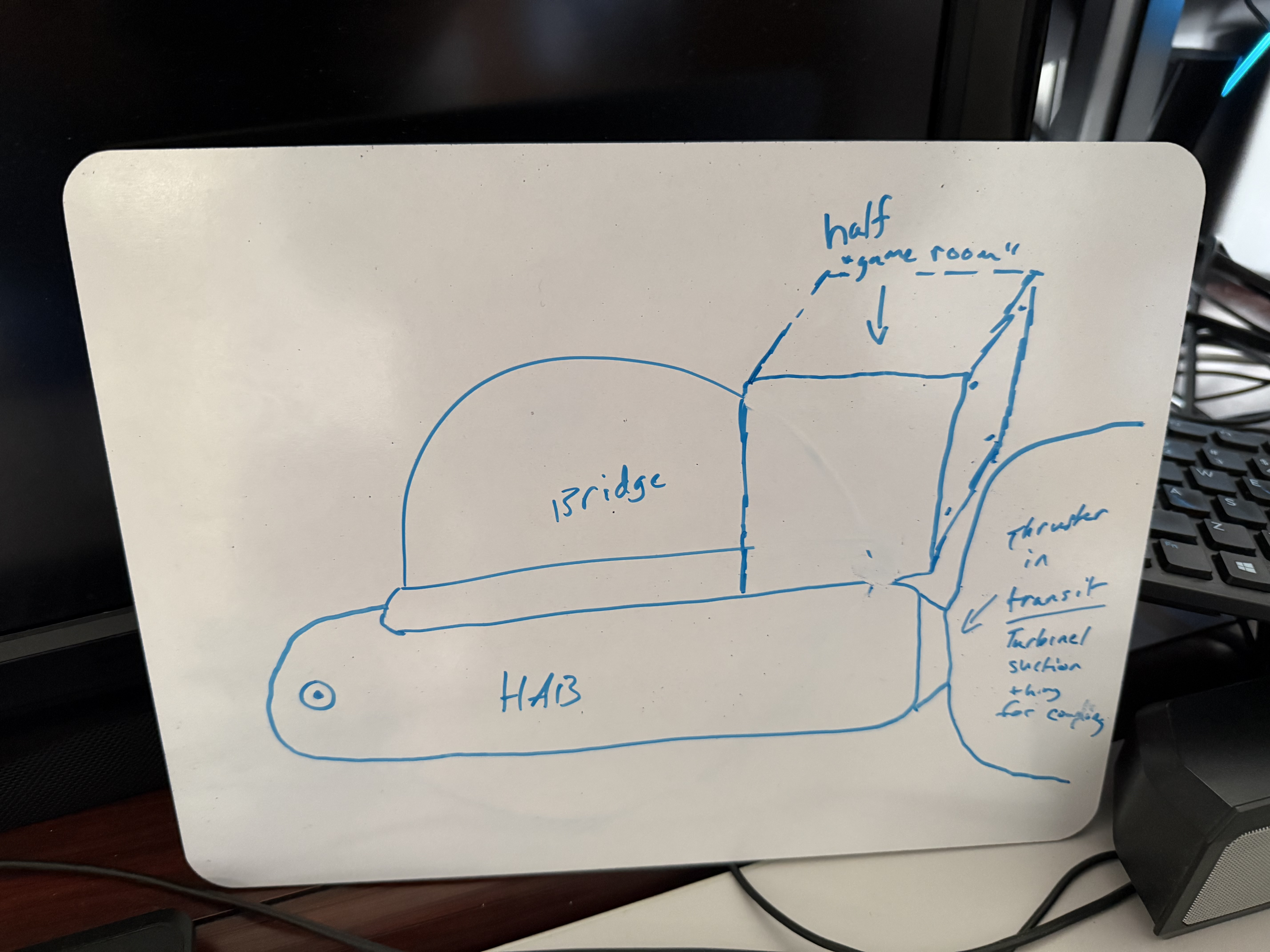
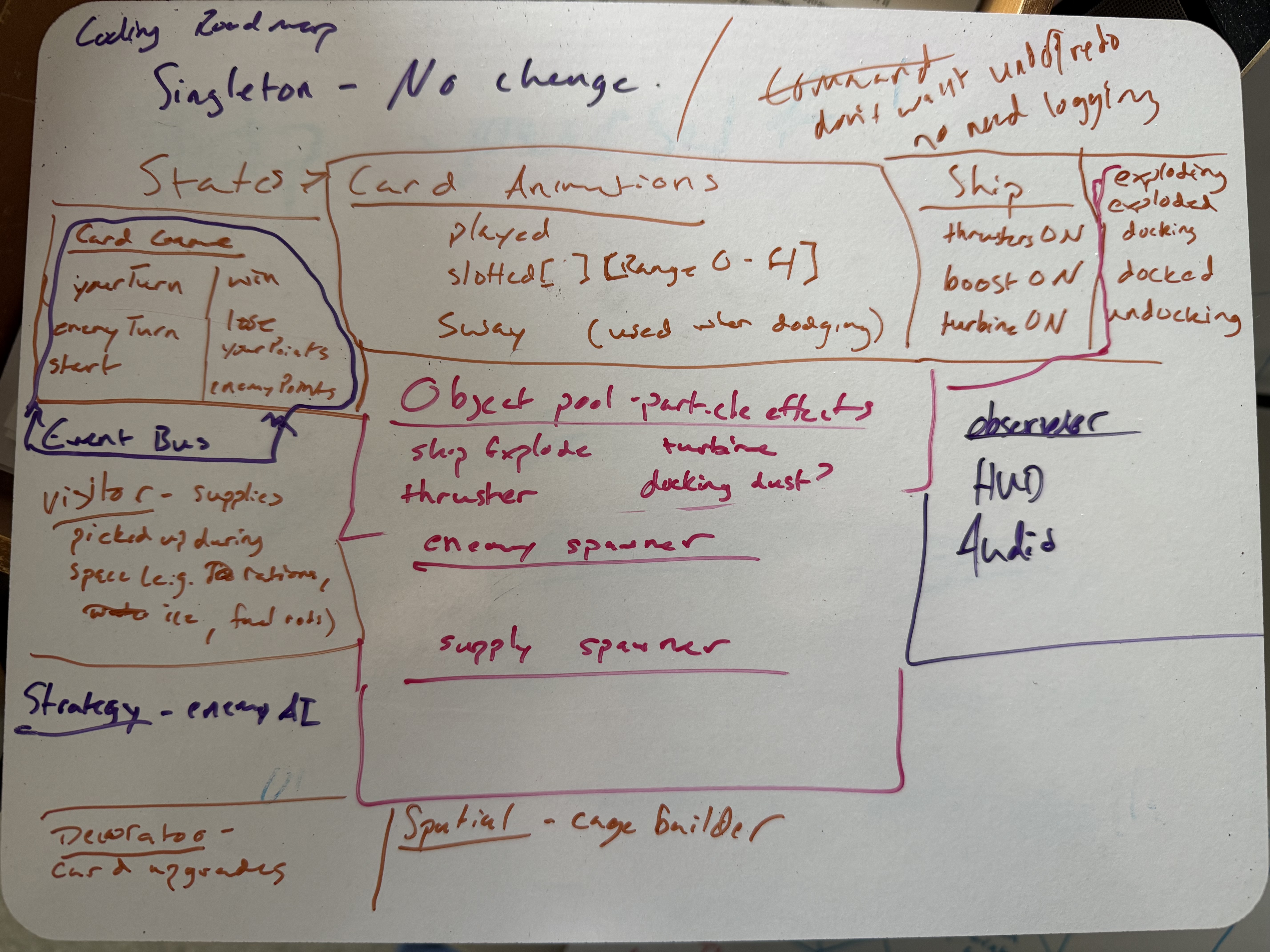
🌌 World Building — Lore Notes
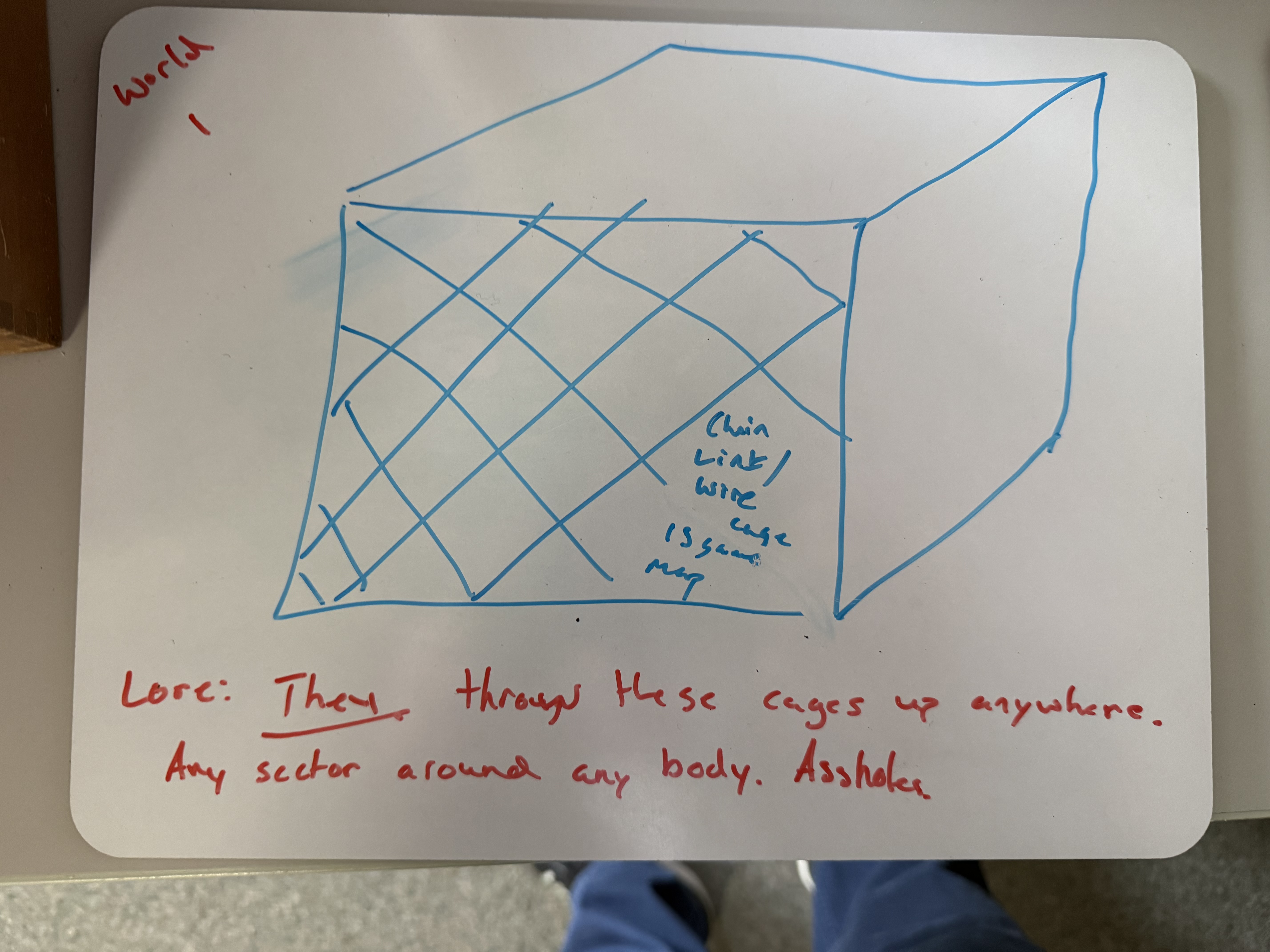
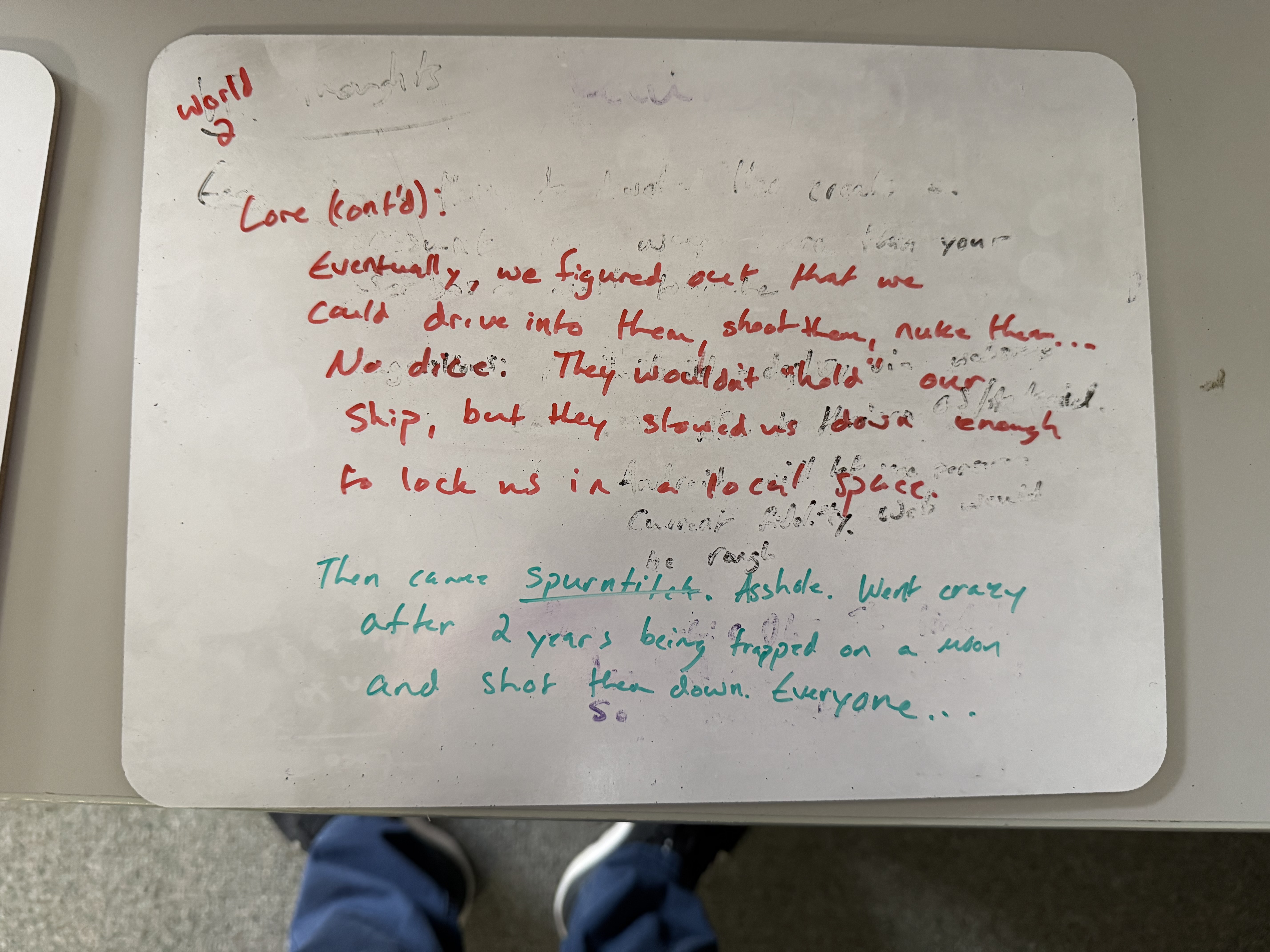
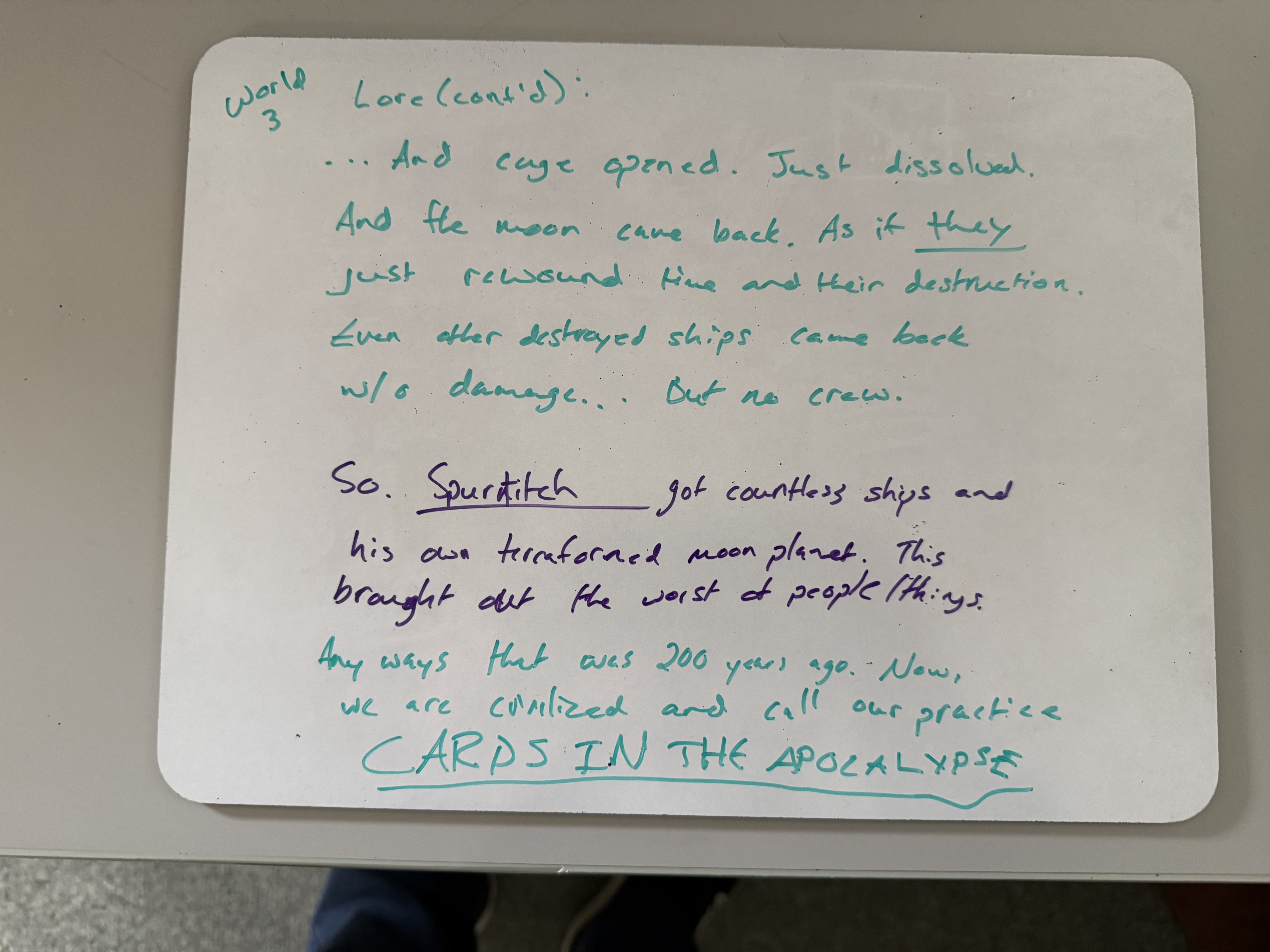
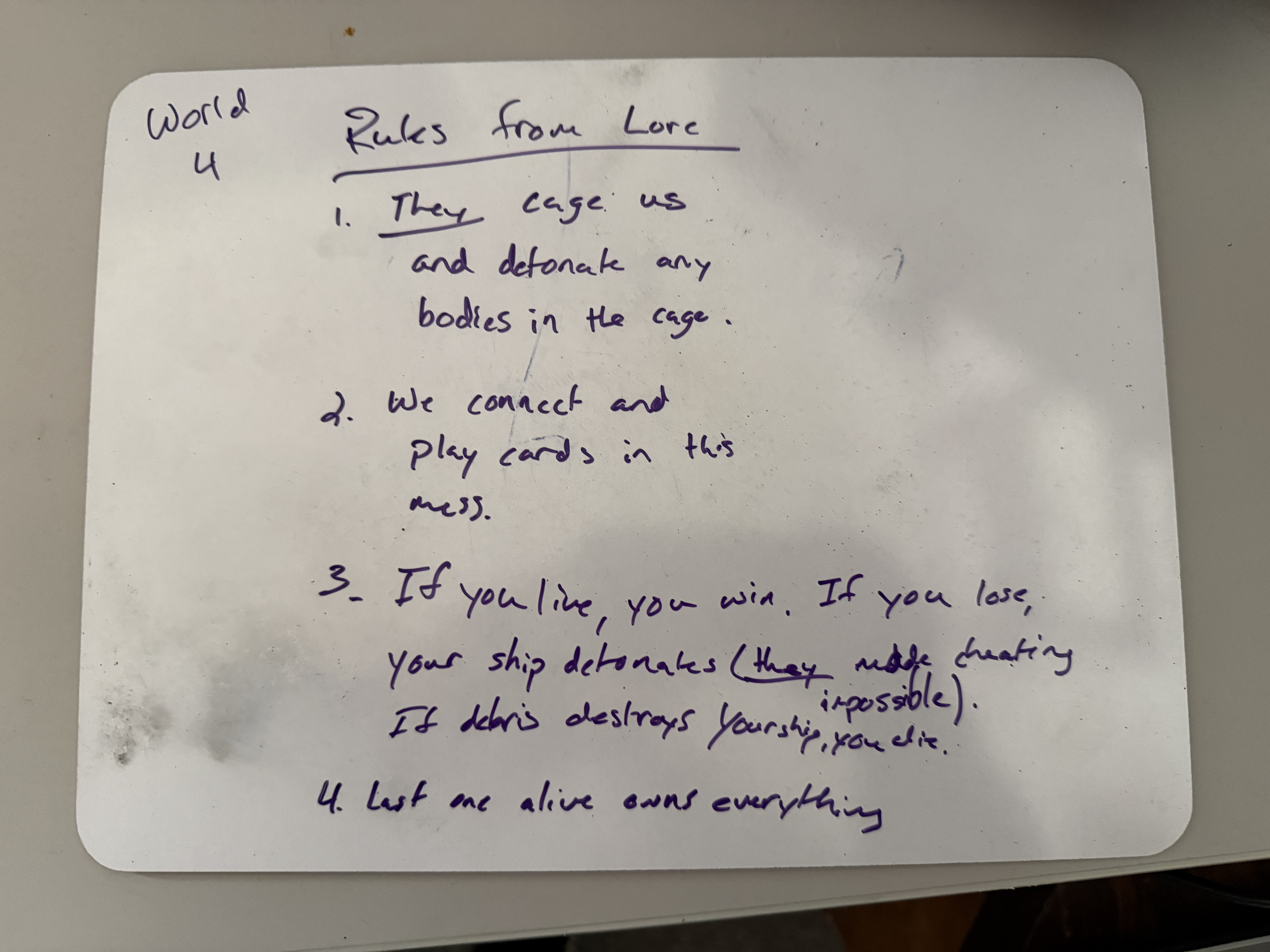
Bonus — If You Want the Full Story
The World of
Cards in the Apocalypse
These are the lore notes sketched out this morning. Not required reading — but it's more fun when you know why everyone is playing cards in space.
World 1 — The Cage
They throw these cages up anywhere.
Any sector around any body.
Assholes.
World 2 — Fighting Back
Eventually, we figured out that we could drive into them, shoot them, nuke them...
No dice. They wouldn't hold our ship, but they slowed us down enough to lock us in a local space.
Then came Spurtitch. Ashde. Went crazy after 2 years being trapped — and shot them down.
Everyone...
World 3 — The Opening
...And the cage opened. Just dissolved. And the moon came back —
as if they just rewound time and their destruction.
Even other destroyed ships came back with no damage...
But no crew.
So. Spurtitch got countless ships and his own terraformed moon planet.
This brought out the worst of people. Of things.
Anyways — that was 200 years ago. Now we are civilized,
and we call our practice:
CARDS IN THE APOCALYPSE
World 4 — Rules from Lore
- They cage us and detonate any bodies in the cage.
- We connect and play cards in this mess.
- If you live, you win. If you lose, your ship detonates.
(They made cheating impossible.)
If debris destroys your ship, you die. - Last one alive owns everything.
♟️ Singleton USED
Blade Racer → Cards in the Apocalypse
"No change from Blade Racer."
In Blade Racer
GameManager persisted across scenes and provided global access to game state.
In Cards in the Apocalypse
GameManager persists across both gameplay layers (space + card duel) and manages transitions between them.
🔄 State USED
In Blade Racer
- BikeController states
- Stop / Start / Turn / Crash
- Physical movement behaviors
In Cards in the Apocalypse
- Card Animations: Idle, Draw, Play, Discard, Win, Lose
- Ship State: Cruising, Evading, Docked, Damaged, Destroyed
📡 Event Bus USED
In Blade Racer
- RaceEventBus
- Race start / end / checkpoint events
- Decoupled scoring from race logic
In Cards in the Apocalypse
- Card Game State: CardDrawn, CardPlayed, TurnEnd, DuelStart, DuelEnd
- Decouples card logic from ship logic
- Both gameplay layers listen to the same bus
🔁 Object Pool USED
In Blade Racer
- Drone enemies spawned from pool
- Recycled when destroyed
- Reduced garbage collection pressure
In Cards in the Apocalypse
- 🌟 Particle effects: Explosions, debris hits, engine trails
- 🚀 Enemy spawner: Hostile ships recycled from pool
- 📦 Supply spawner: Rations, fuel rods, water ice reused
⏭️ Command SKIPPED
Design Decision: Skipping Command
Command in Blade Racer handled input recording and replay — a great fit for a racing game with a defined track. Cards in the Apocalypse has no replay system.
Why Skip It?
- No replay or undo system needed in this game
- Card input is event-driven — Observer handles it cleanly
- Forcing Command here would add complexity with no benefit
👀 Observer USED
In Blade Racer
- BikeController = Subject
- HUDController, AudioController = Observers
- State changes trigger UI + audio reactions
In Cards in the Apocalypse
- HUD: Ship health, card count, fuel levels update via Observer
- Audio: Music transitions between space combat and card duel based on game state
🛸 Visitor USED
In Blade Racer
- PowerUp visits bike components
- Visits Engine, Shield, Weapon
- Adds stat boosts without modifying classes
In Cards in the Apocalypse
Supplies collected during the space phase visit ship components before the card duel:
- 🍖 Rations → visit crew health
- ⚡ Fuel Rods → visit engine efficiency
- 💧 Water Ice → visit life support systems
🧠 Strategy USED
In Blade Racer
- Enemy drone AI behaviors
- Aggressive / Defensive / Flanking
- Swappable algorithms at runtime
In Cards in the Apocalypse
- Enemy Ship AI: Intercept, Ambush, Retreat strategies during space phase
- Enemy Card AI: Aggressive (ask early), Conservative (hoard sets), Bluff strategies during card duel
🎴 Decorator USED
In Blade Racer
- Weapon upgrades (Injector, Stabilizer, Cooler)
- Each decorator wraps the base weapon
- Stack multiple upgrades dynamically
In Cards in the Apocalypse
- Card upgrades — decorate base cards with effects
- A "Go Fish" card wrapped with a +1 Draw decorator
- Cards wrapped with: Stealth, Double Value, Shield Break
- Upgrade stacking mirrors the weapon system exactly
🗺️ Spatial Partition USED
In Blade Racer
- Level editor grid
- Efficient collision detection
- Stack-based segment loading
In Cards in the Apocalypse
- Cage Builder: The debris field is divided into spatial zones
- Each zone tracks its debris objects
- Only check collisions within the player's current zone(s)
- Escape the "cage" of nearby danger — survive long enough to reach an enemy ship
🔌 Adapter USED
In Blade Racer
- Third-party inventory integration
- Wrapped incompatible API in our interface
- Game code talks to the adapter, not the library
In Cards in the Apocalypse
- Inventory system: Supplies collected in space (rations, fuel rods, water ice) are stored in inventory
- Adapter wraps whatever inventory library we use
- Game systems interact through our own clean interface
🏛️ Facade USED
In Blade Racer
- Simplified bike engine interface
- One method hides complex subsystem calls
- Client code stays clean
In Cards in the Apocalypse
- Ship Hab (habitat module) — masks the complexity of systems affecting crew performance
ShipHab.GetCrewPerformance()hides: oxygen, temperature, radiation, morale, nutrition- Card AI and game logic use one clean, usable value
📍 Service Locator USED
In Blade Racer
- Unity services integration
- Analytics, Audio, Logging registered as services
- Game retrieves services without direct dependency
In Cards in the Apocalypse
- Platform achievements — unlock on any platform
- 🖥️ Steam Achievements on PC → one service
- 🎮 PlayStation Trophies on PS5 → different service, same interface
AchievementService.Unlock("FirstDuel")— write once, run anywhere
📊 Cards in the Apocalypse — Full Pattern Map
| Pattern | Status | Usage in Cards in the Apocalypse |
|---|---|---|
| Singleton | USED | GameManager — same as Blade Racer |
| State | USED | Card animations + ship state machine |
| Event Bus | USED | Card game state events between gameplay layers |
| Object Pool | USED | Particle effects, enemy ships, supply objects |
| Command | SKIPPED | No replay system — not a natural fit |
| Observer | USED | HUD updates + audio transitions |
| Visitor | USED | Supply items (rations, fuel, water ice) visit ship systems |
| Strategy | USED | Enemy ship AI + enemy card game AI |
| Decorator | USED | Card upgrades — stackable effect wrapping |
| Spatial Partition | USED | Debris field zone management (Cage Builder) |
| Adapter | USED | Inventory system abstraction |
| Facade | USED | Ship Hab — crew performance interface |
| Service Locator | USED | Steam Achievements / PlayStation Trophies |
✏️ Now It's Your Turn
Planning Exercise — Take Notes Now
Use the professor's example as a template. Answer these questions for your own game.
🎮 Your Game Concept
- Genre and theme?
- What's the core mechanic?
- 2-sentence pitch
⏭️ Which 2 Are You Skipping?
- Which 2 don't fit naturally?
- Can you justify each skip?
- Is this the right call?
🏗️ Major Systems
- What are your main game systems?
- How do they communicate?
- Where are the boundaries?
🧩 Pattern Mapping
- List all 11+ patterns you'll use
- One sentence each:
"I'll use X for Y because Z"
📚 Midterm Prep Tips
What problem does each pattern solve? That's more important than memorizing a class diagram.
Be able to name the key classes (e.g. "Observer: BikeController as Subject, HUDController and AudioController as Observers").
Every pattern has costs. When should you NOT use it? What's the alternative? These show up on exams.
The midterm may ask: "How would you use pattern X in [hypothetical game]?" Today's exercise is exactly this.
👋 See You Next Class
We return to coding with the Visitor Pattern
Implementing supply pickups in Blade Racer using the Visitor pattern — a direct preview of how it works in Cards in the Apocalypse.
Before Next Class
- Review Observer Pattern slides
- Read Chapter 10 (Visitor) in the textbook
- Keep working on your game concept notes
Midterm Countdown
- 📅 Midterm: March 10, 2026
- 6 more patterns still to cover
- Use your planning doc as a study guide